Distribution boards in installation projects — organising circuits
Prepare circuits and the distribution board layout in EH Designer, then check the data before export.
Read guide →Documentation · guide for installers
Assign cables to devices, organise routes and review lengths before preparing the estimate.
Prepared by EnergyHouse · Updated: 19 October 2026
A cabling plan should show where each connection starts and ends. Separate routes to the distribution board, network rack and alarm control panel. This makes the materials list easier to verify than a total assembled from arbitrary cable lengths.
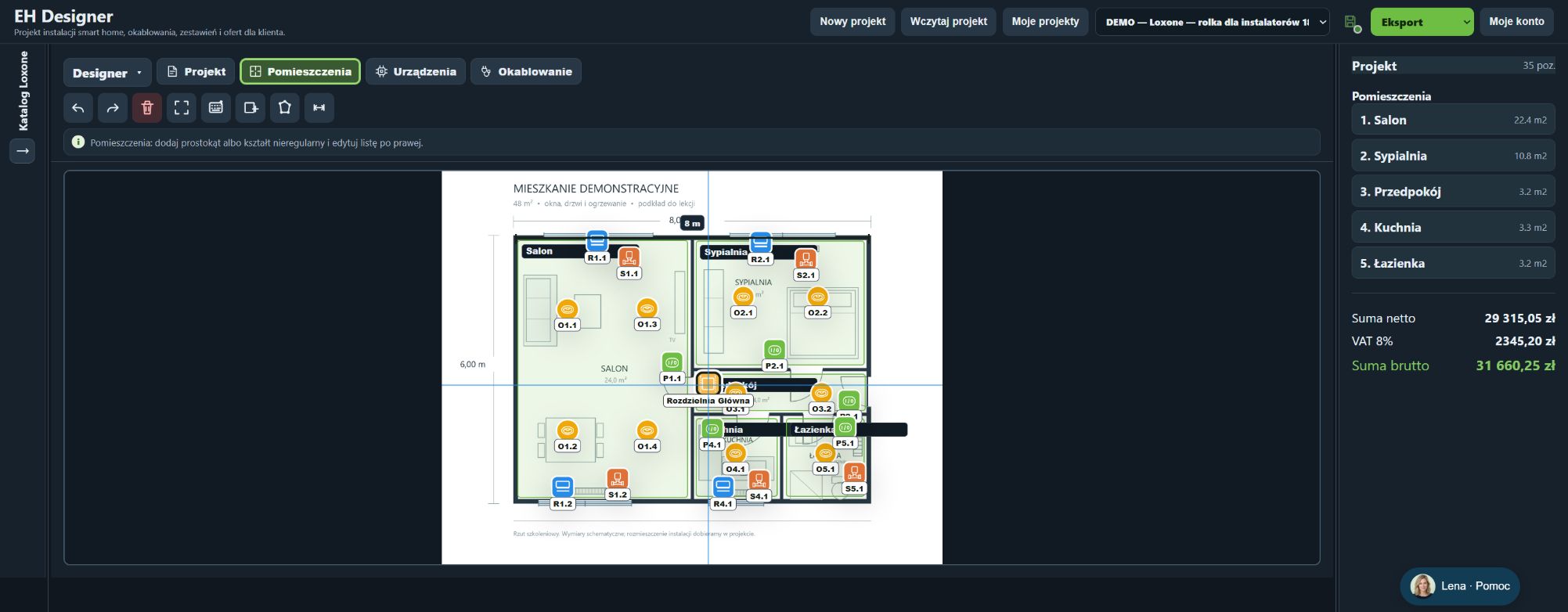
Before calculating cables, verify the drawing scale and mounting heights. Include vertical runs, drops and allowances rather than using only the distance between symbols. When ordering, distinguish the metres needed for installation from full supplier packs. Review the estimate again after changing a route.
In Wiring, configure the cable’s use and select a specific catalogue product.
Also consider the operating environment, shielding and conductor type when selecting cables. A similar name does not prove compatibility.
The route type defines the device’s connection destination.
The priced length includes the route and configured allowances.
Do not add allowances that the application has already included.
The cable purchase quantity may differ from the route length.
Open EH Designer on a computer with a mouse. Start with one room or part of the installation, review the result and expand your project. For available plans, see pricing.
Create an EH Designer accountPrepare circuits and the distribution board layout in EH Designer, then check the data before export.
Read guide →Turn devices on a plan into material and labour costs and a clear PDF quotation in EH Designer.
Read guide →Prepare installation drawings and schedules in EH Designer, then review the files before delivery.
Read guide →