Cabling design — routes, lengths and cable allowances
Assign cables to devices, organise routes and review lengths before preparing the estimate.
Read guide →Documentation · guide for installers
Prepare installation drawings and schedules in EH Designer, then review the files before delivery.
Prepared by EnergyHouse · Updated: 19 October 2026
Documentation is useful when an installer can locate a device, read its reference and understand the work required. Before exporting, organise layer visibility and labels instead of placing every detail on one crowded drawing.
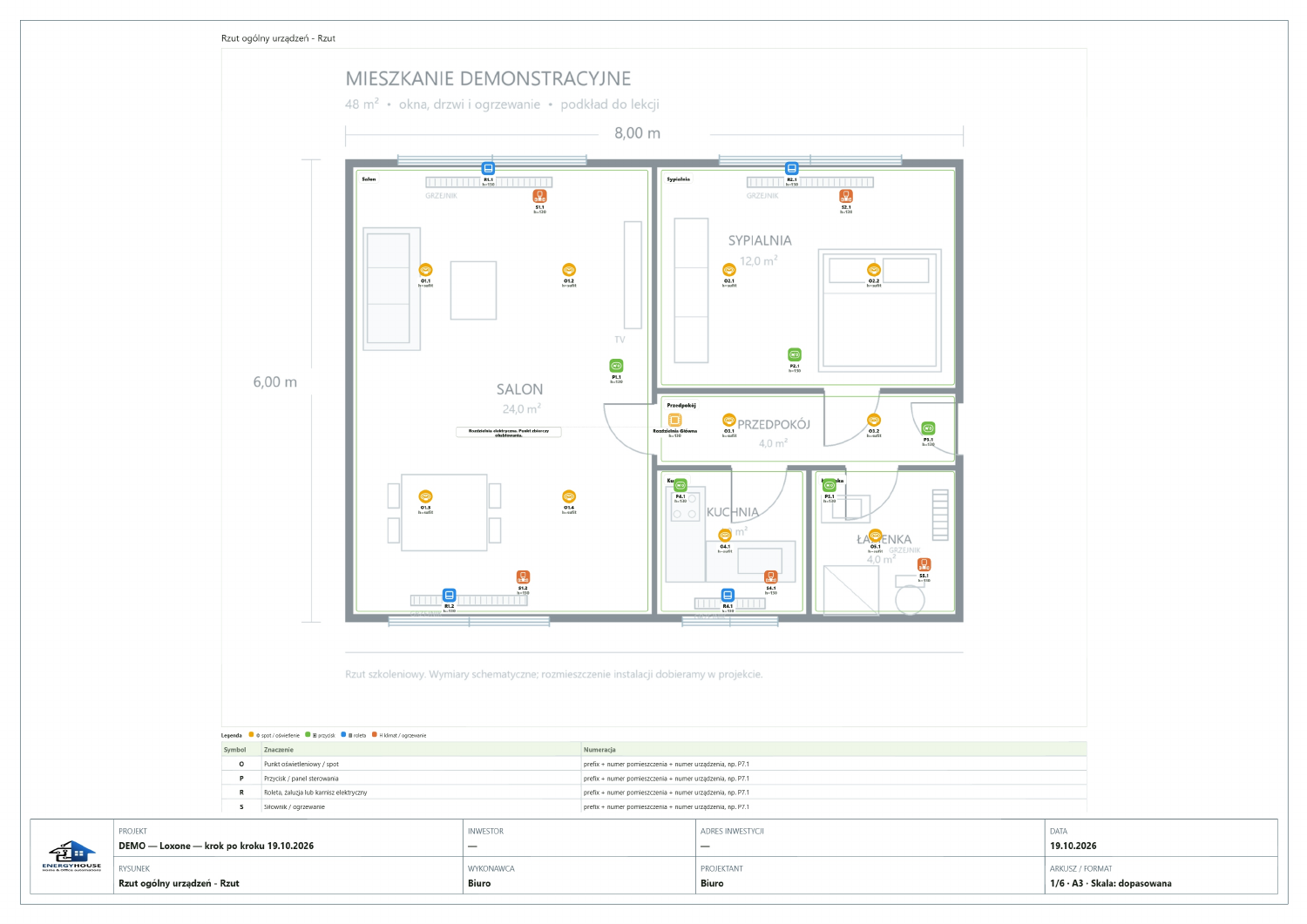
Prepare views for individual installation systems. Generate the PDF and open it outside the application to check labels, framing and page completeness. An Excel schedule helps review quantities, while a JSON backup preserves the project version. Use consistent project names and revision identifiers in the files you deliver.
Layers control what you see on the plan without removing devices from the project.
Hiding a layer does not exclude its items from pricing. Change the estimate scope separately.
The project PDF documents the plan and selected installations.
Do not change the project while the export is being generated. If the export fails, try a smaller selection of pages and report the problem with the settings you used.
The export includes the estimate and schedules needed for the project.
The schedule reflects the project and prices at the time of export. Generate a new file after changing the project.
The save status tells you whether your changes have reached the server.
Do not rely on browser storage as your only backup.
Open EH Designer on a computer with a mouse. Start with one room or part of the installation, review the result and expand your project. For available plans, see pricing.
Create an EH Designer accountAssign cables to devices, organise routes and review lengths before preparing the estimate.
Read guide →Prepare circuits and the distribution board layout in EH Designer, then check the data before export.
Read guide →Turn devices on a plan into material and labour costs and a clear PDF quotation in EH Designer.
Read guide →