Designing a Loxone installation online — from floor plan to documentation
Prepare a Loxone installation in EH Designer: rooms, devices, wiring, distribution board and quotation.
Read guide →Systems · guide for installers
Plan an installation using Nice products, organise device models and prepare a materials list for your client.
Prepared by EnergyHouse · Updated: 19 October 2026
In a Nice project, distinguish the control module, the load it controls and the user control point. A blind symbol alone does not describe how the blind will be controlled. Before placing products, establish which items are new and which belong to the existing installation.
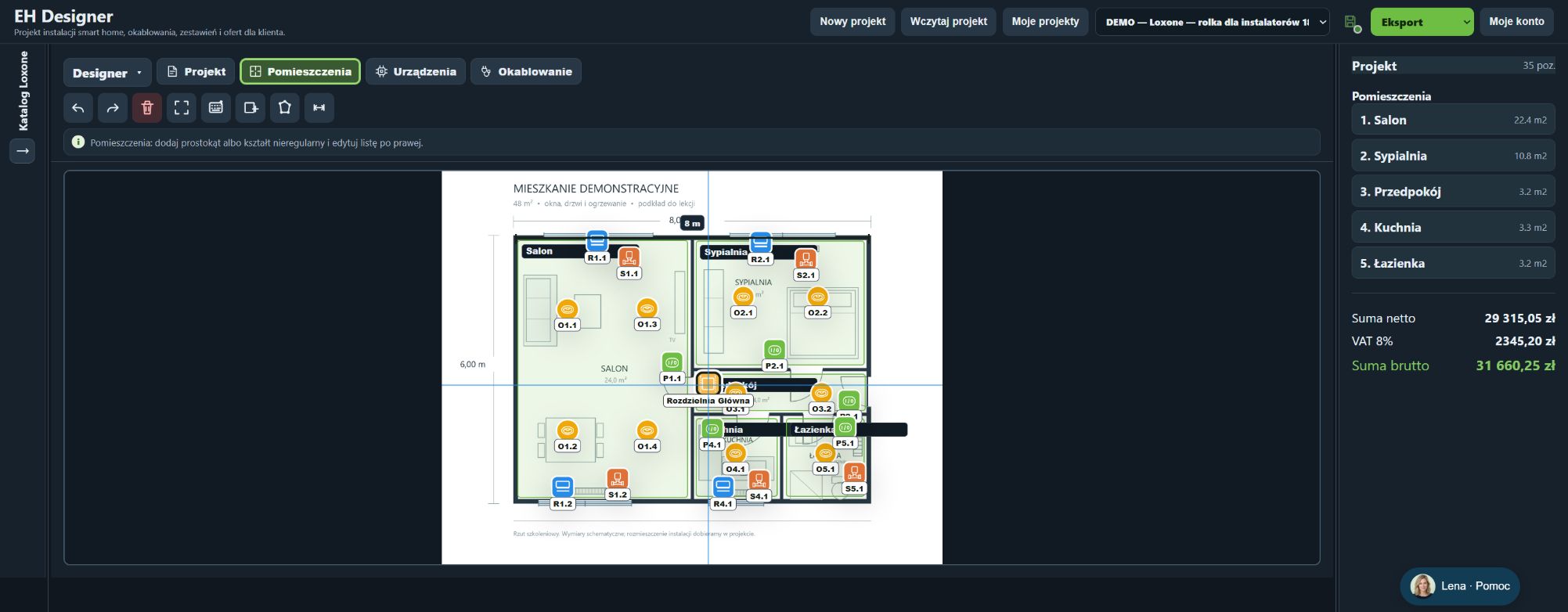
Select the Nice catalogue and search for the exact model rather than choosing a product by a similar name. After replacing a model, check its price and object description again. The plan helps agree locations with the client, but device compatibility and commissioning requirements must be checked for the particular combination. The illustration shows the general EHD workflow using a Loxone example, not a Nice installation.
Search for the exact model in the appropriate system or manufacturer’s catalogue.
Prices and stock levels come from the catalogue’s data source. Check current availability before purchasing.
Click a symbol on the plan or an item in the list to open its details.
Export a JSON project backup before changing many objects.
The wizard helps you select the blind or curtain system, motor and controller.
The estimate depends on selected scopes, line items, quantities, rates and discounts.
Deselecting a scope excludes it from the estimate and quote without deleting its devices.
Open EH Designer on a computer with a mouse. Start with one room or part of the installation, review the result and expand your project. For available plans, see pricing.
Create an EH Designer accountPrepare a Loxone installation in EH Designer: rooms, devices, wiring, distribution board and quotation.
Read guide →Plan a UniFi network, organise port assignments and design the equipment rack in EH Designer.
Read guide →Design a Hikvision CCTV installation: select cameras, set viewing directions, plan cables and prepare documentation.
Read guide →