Designing a Loxone installation online — from floor plan to documentation
Prepare a Loxone installation in EH Designer: rooms, devices, wiring, distribution board and quotation.
Read guide →Systems · guide for installers
Plan a UniFi network, organise port assignments and design the equipment rack in EH Designer.
Prepared by EnergyHouse · Updated: 19 October 2026
Begin with a list of locations requiring a network connection: workstations, Wi-Fi access points, cameras and technical equipment. Mark them on the floor plan and select a common cable termination location. For an installer, this plan provides a basis for determining cable and port quantities.
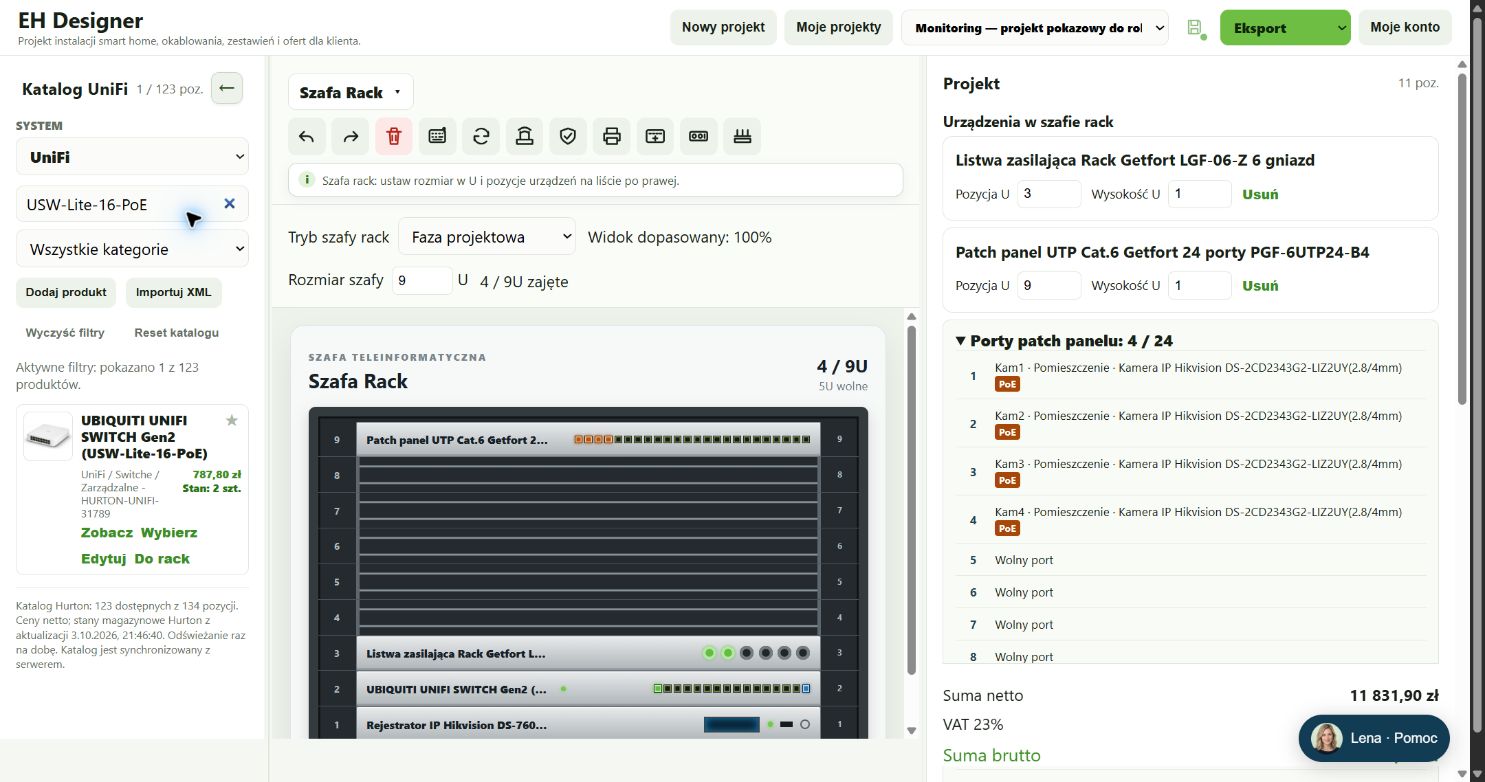
Choose UniFi models that meet the agreed requirements. Include the patch panel, power distribution and service provider equipment in the rack. Do not allocate every port to an endpoint: links between devices also use ports. Placing access points on a floor plan does not replace measurements or an assessment of actual Wi-Fi coverage.
Search for the exact model in the appropriate system or manufacturer’s catalogue.
Prices and stock levels come from the catalogue’s data source. Check current availability before purchasing.
Port counts and power requirements depend on the specific device model.
The U size specifies the device’s mounting height in the rack.
In Wiring, configure the cable’s use and select a specific catalogue product.
Also consider the operating environment, shielding and conductor type when selecting cables. A similar name does not prove compatibility.
Open EH Designer on a computer with a mouse. Start with one room or part of the installation, review the result and expand your project. For available plans, see pricing.
Create an EH Designer accountPrepare a Loxone installation in EH Designer: rooms, devices, wiring, distribution board and quotation.
Read guide →Plan an installation using Nice products, organise device models and prepare a materials list for your client.
Read guide →Design a Hikvision CCTV installation: select cameras, set viewing directions, plan cables and prepare documentation.
Read guide →